The Pioneers (1960s–70s)
In the 1960s, artists at Bell Labs — people
like
Lillian Schwartz, Ken Knowlton, and Michael Noll — began using room-sized mainframe
computers
to generate visual art and animation. They had no screens to preview their work; they
wrote
programs, waited for the machine to render output onto film, and then watched the
result.
Despite these constraints, they created mesmerizing pieces that explored perception,
symmetry,
and motion in ways that were impossible by hand.
Vibe Coding for Film: Make Your Own Flow Tools
by Kaloyan Kolev, Google Creative Lab
Most filmmaking tools are built for you — someone else decided what buttons you get, what effects you need, and how things should look. In this workshop, we flip that around. You will learn to build your own microtools that generate animated visuals, and use AI as a creative partner to get there faster.
1. Intro
In the next hour we'll learn about the history of generative video, explore Google Flow, and build our own generators using code & AI. This website will be around as a reference if you get lost or want to skip ahead.
Who's Who
Meet your instructor and each other.
Kalo (your instructor)
Kaloyan Kolev is a Bulgarian artist and creative technologist based in New York. As a Creative Technologist at Google Creative Lab, he works with code, video, sound & AI to build creative tools and new interfaces.
You
- What's your name?
- What do you do?
- Where did you come from?
A Brief History of Generative Art
Using computers to make art is not new. Artists have been doing this for over sixty years, and the work they produced still feels remarkably fresh. Understanding this history helps us see where our tools come from, and where they might go next.
Getting started with Flow & Flow Tools
Throughout this workshop we will use Flow, an AI creative studio by Google. Earlier this year Flow launched Tools, an AI coding environment which lets you create bespoke tools and workflows using natural language – image effects, custom shaders and more. Today, we'll start with 3 pre-made Flow Tools, then remix them to make them our own.
2. Technique Examples
We will explore three distinct techniques for generating visuals with code. Each one uses a different
technology and produces a very different aesthetic.
Below you'll find three generators that use AI to transform a
text prompt into an interactive audio-visual sketch, using code as an intermediary.
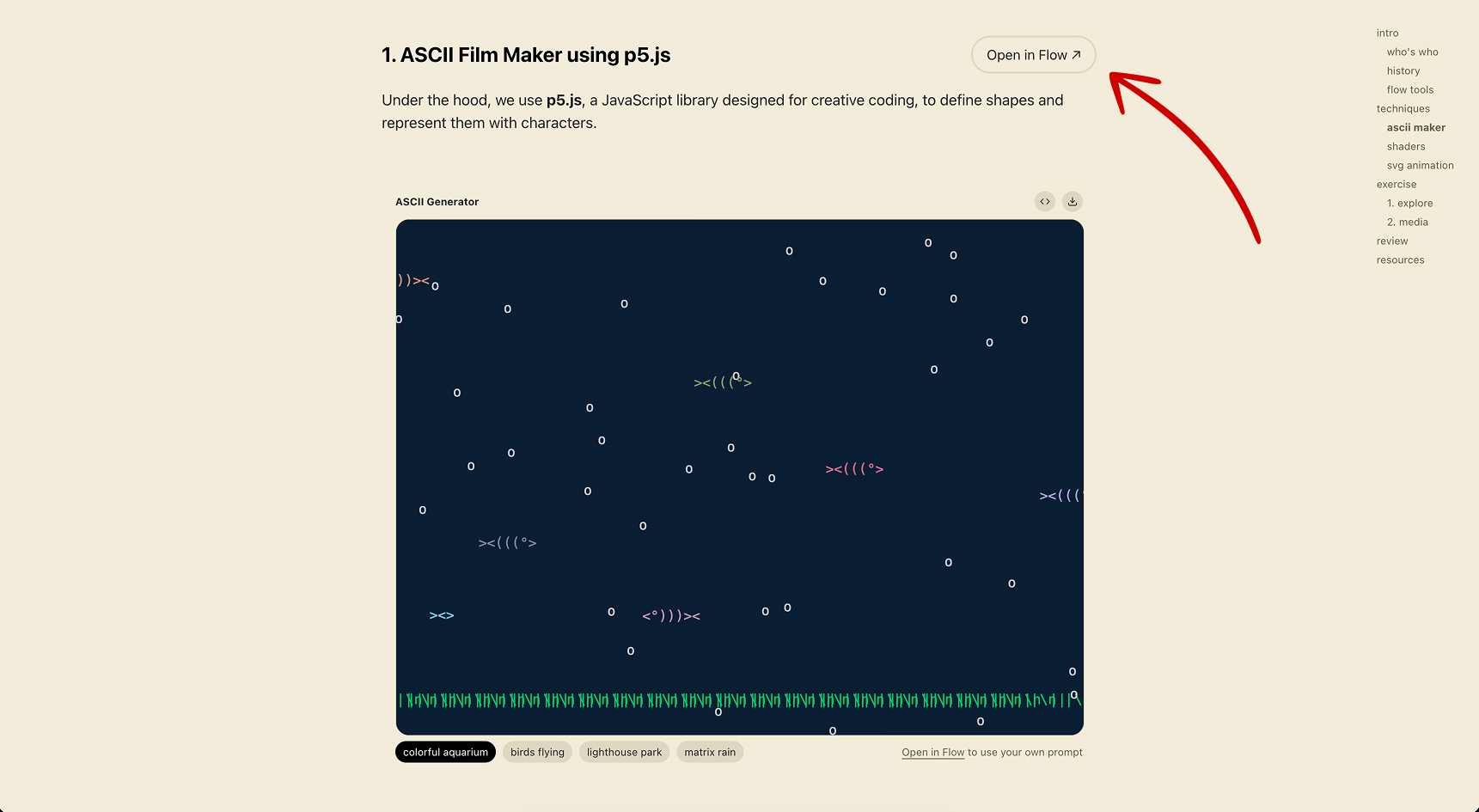
1. ASCII Film Maker using p5.js
Open in Flow ↗Under the hood, we use p5.js, a JavaScript library designed for creative coding, to define shapes and represent them with characters.
2. Abstract Geometry using Shaders
Open in Flow ↗Shaders are tiny programs that run directly on your computer's graphics card. Because the GPU processes millions of pixels simultaneously, shaders can produce incredibly complex, fluid visuals at full speed — things like swirling kaleidoscopes, infinite geometric tunnels, or organic, lava-like surfaces. We write these shaders in a language called GLSL. The code is often surprisingly short — sometimes just 10–20 lines — but the visual results are extraordinarily rich because mathematics does the heavy lifting.
3. Animated Text and Micrographics using SVG
Open in Flow ↗SVG (Scalable Vector Graphics) is a format for describing images using mathematical shapes — lines, curves, circles, and text — rather than pixels. Because everything is defined by geometry, SVG graphics stay perfectly sharp at any size, and every element can be individually animated with JavaScript. This makes SVG ideal for typography animations, hand-drawn-style illustrations, and animated diagrams that feel alive and responsive.
3. Exercise
Pick one or two of the tools above, open them in Flow, and start making them your own. The goal is to experiment, break things, and discover happy accidents. The exercise has two parts: first, we'll try changing the system instructions and add sliders to give us hands-on control, then we'll bring in our own footage and modify it with our tools.
Part 1 — Hands-on Exploration
Open the tools in Flow, play around, then remix them to make them your own. Add a slider that controls a parameter or modify the AI prompt to shift the visual style.
1. Open in Flow
Choose any of the creative coding generators above and click
Open in Flow.
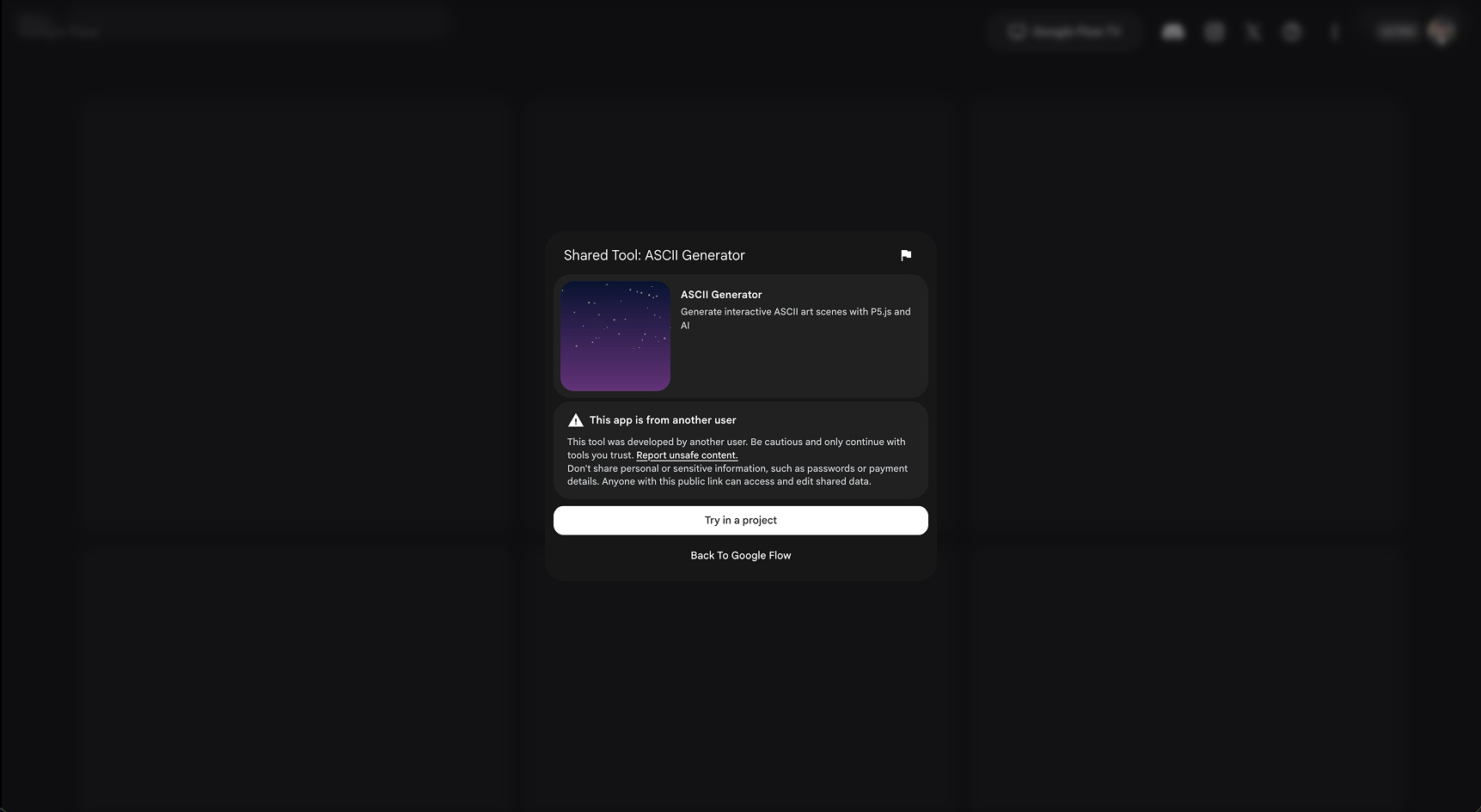
2. Try in a Project
A modal will appear asking you to choose a project.
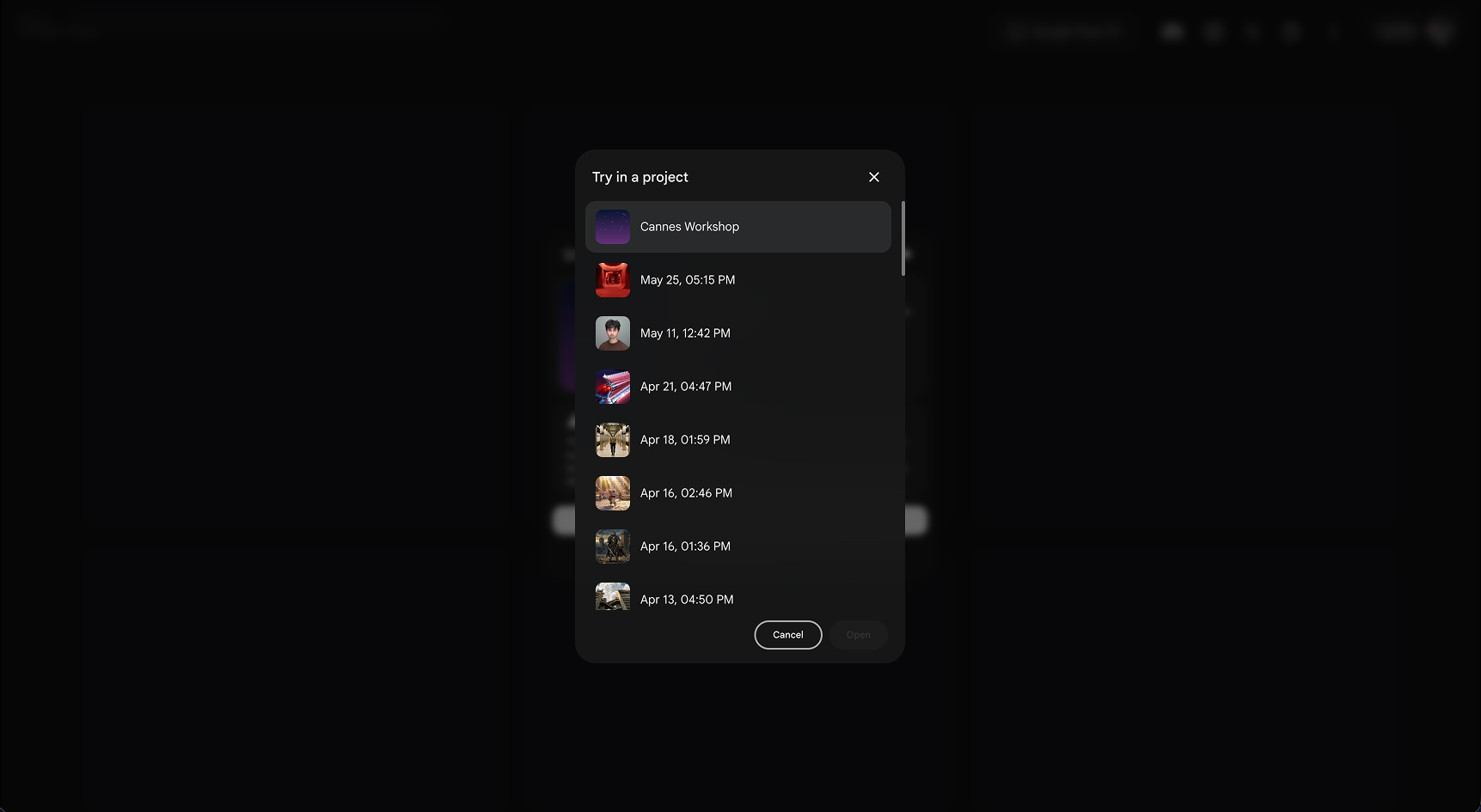
3. Select a project
Tap the project labelled "Filmmaking with Code."
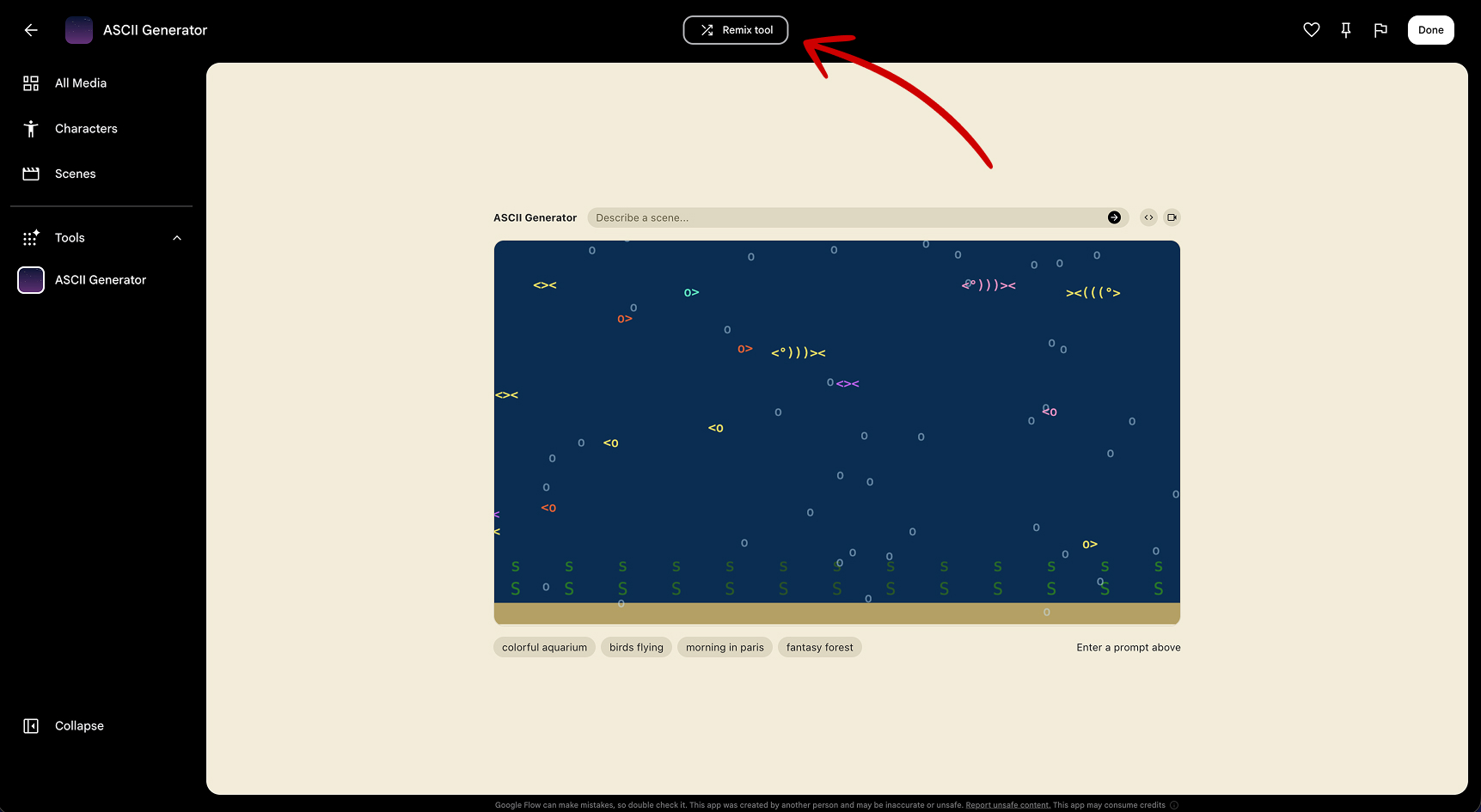
4. Play and Explore
Familiarize yourself with the interface. Write a prompt to
see the generator run in real-time. Then, tap the Remix button at the top to copy the tool into your
project.
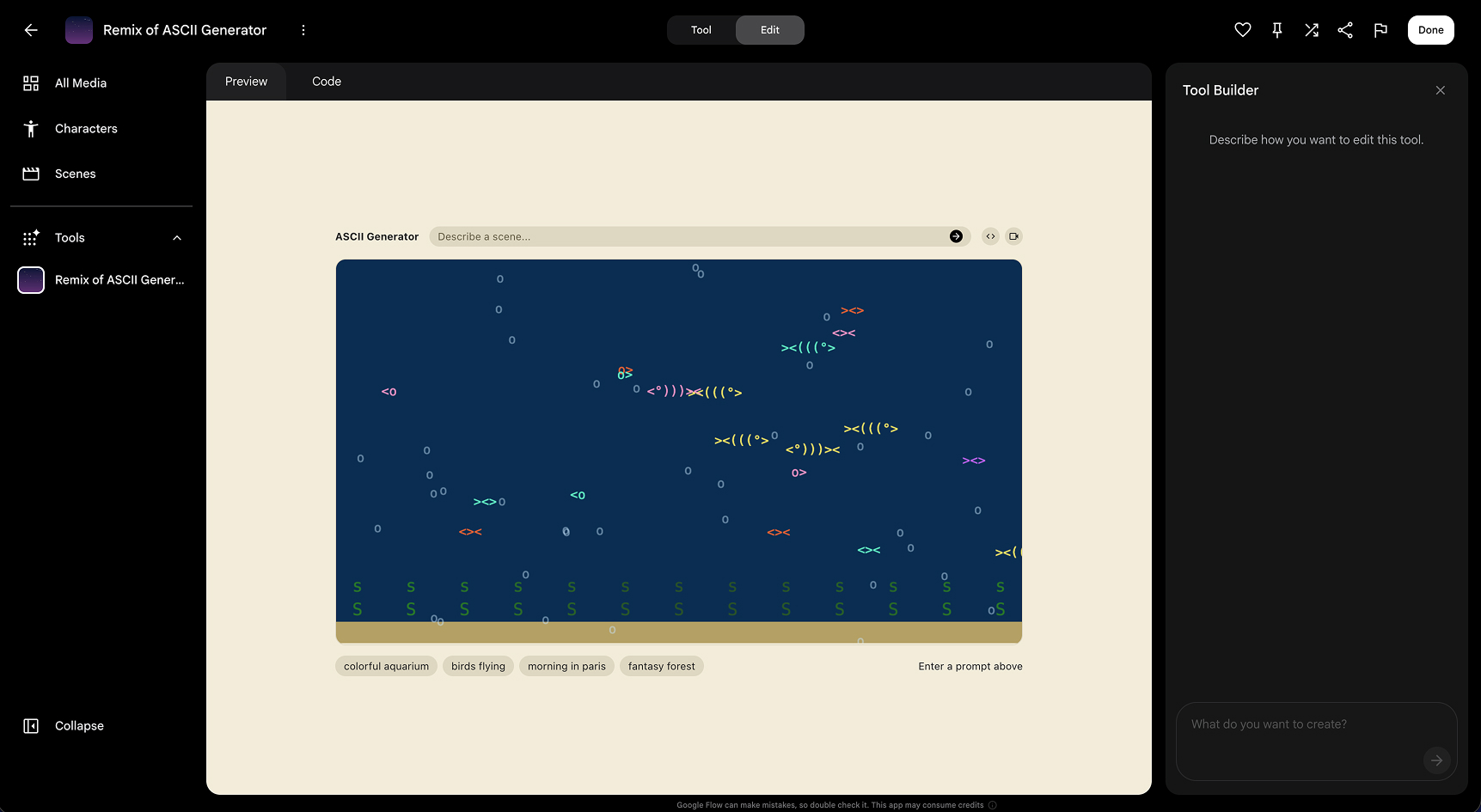
5. Editor View
You can now ask the AI agent on the right to modify the tool for
you.
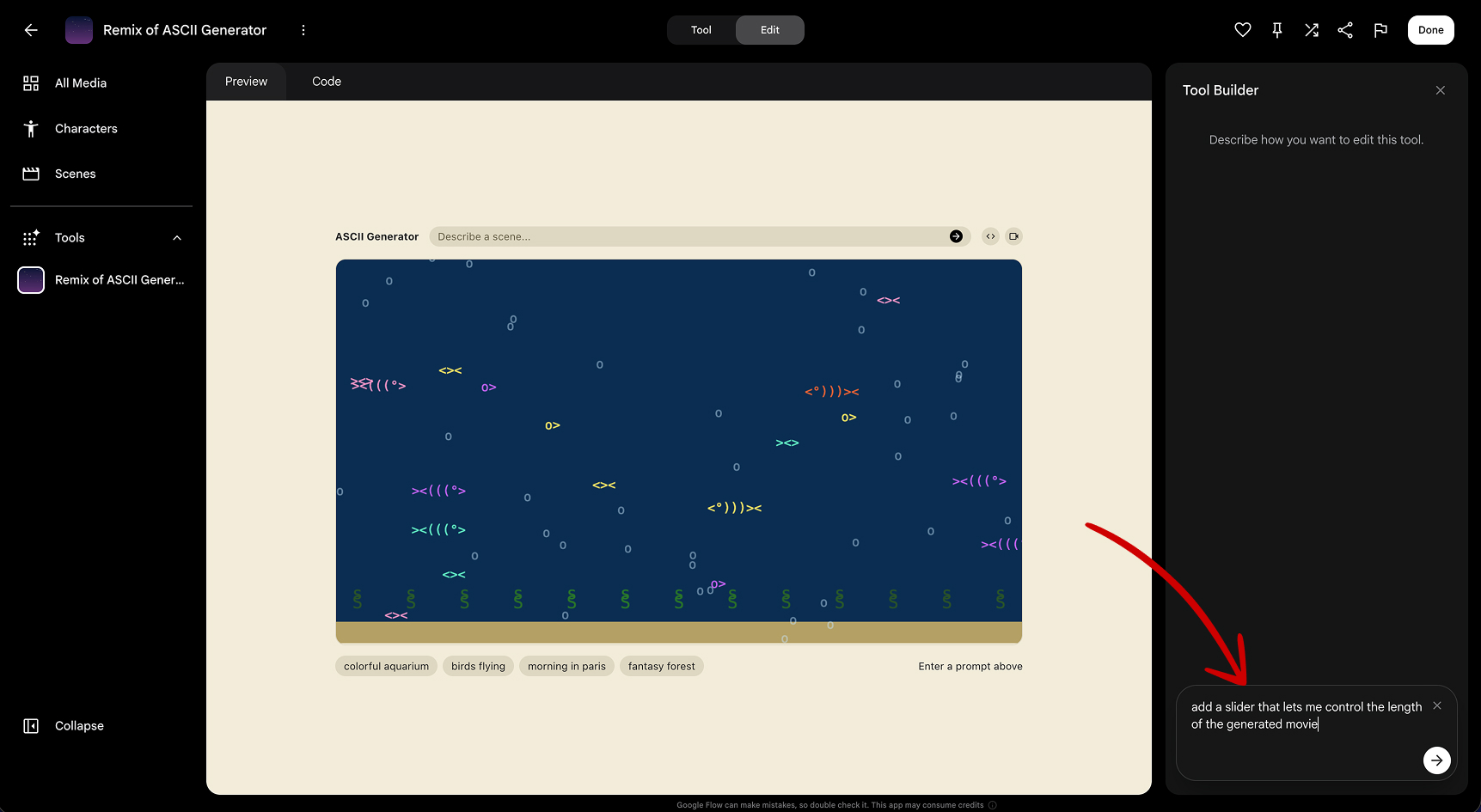
6. Talk to the Agent
For example, prompt the agent: "add a slider to control
the grid size" or "make the
animation speed adjustable".
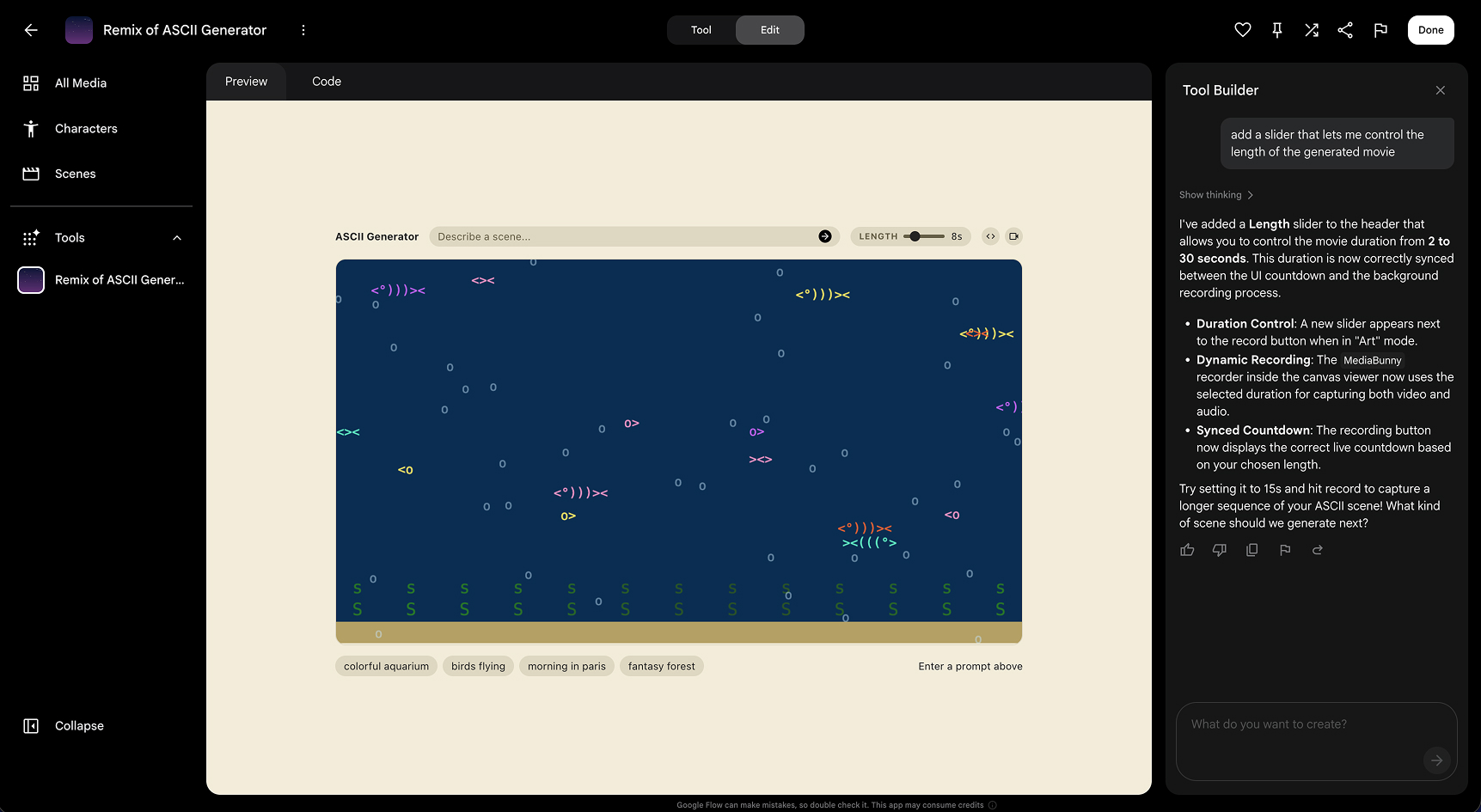
7. Instant Code Updates
The AI agent will write code for you and the page will
refresh when its done. This might take a minute.
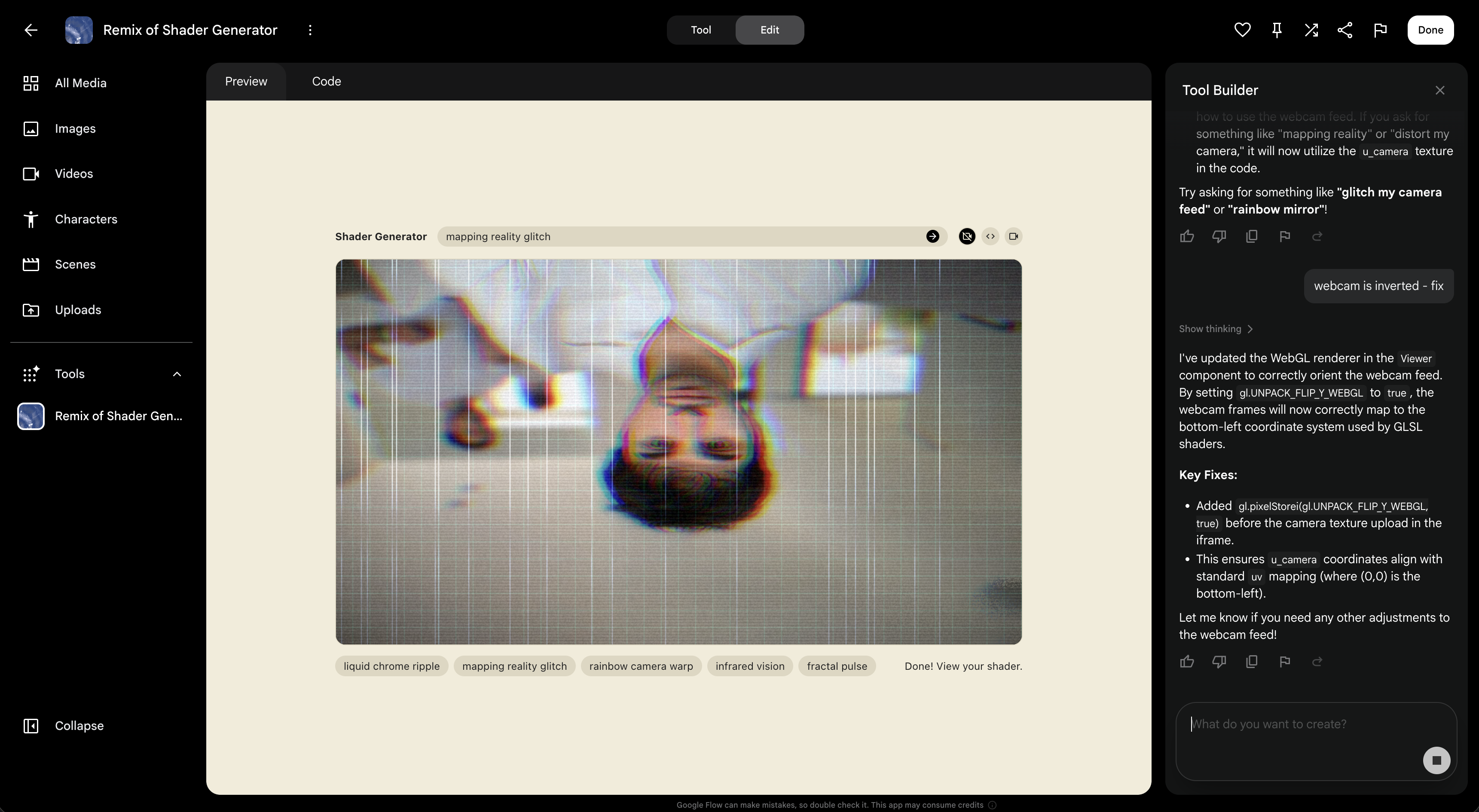
8. Debug
Sometimes the agent doesn't get things right the first time. If
something doesn't look right, simply tell the agent what's wrong and ask it to fix it.
Prompt Ideas
- add a slider to control the animation speed
- add a slider that controls the size of the elements
- add buttons that change the style between monochromatic and colorful
- add text captions to the scene
- make the generator create 3-part stories
- add an aspect ratio switcher
- add a button that randomizes all of the sliders
Part 2 — Combine the tool with your media
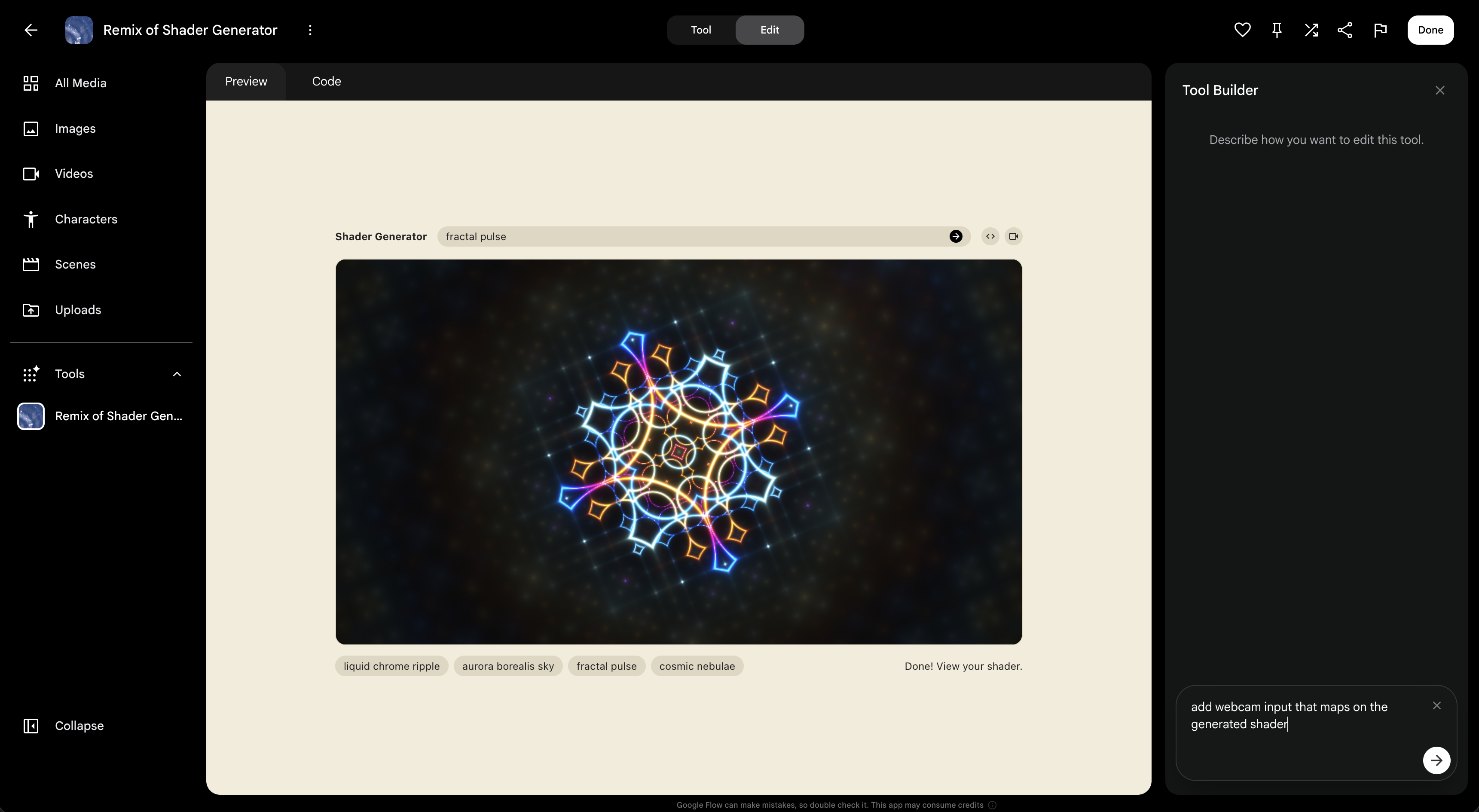
Bring your own images, video, or webcam feed into your code and use your tool to manipulate, filter, or overlay them.
1. Add your media
Prompt the agent to add a webcam feed or media loader. Try
asking: "add a button to enable the webcam and feed it into the generator" or "add a
button to import my media into the generated sketch".
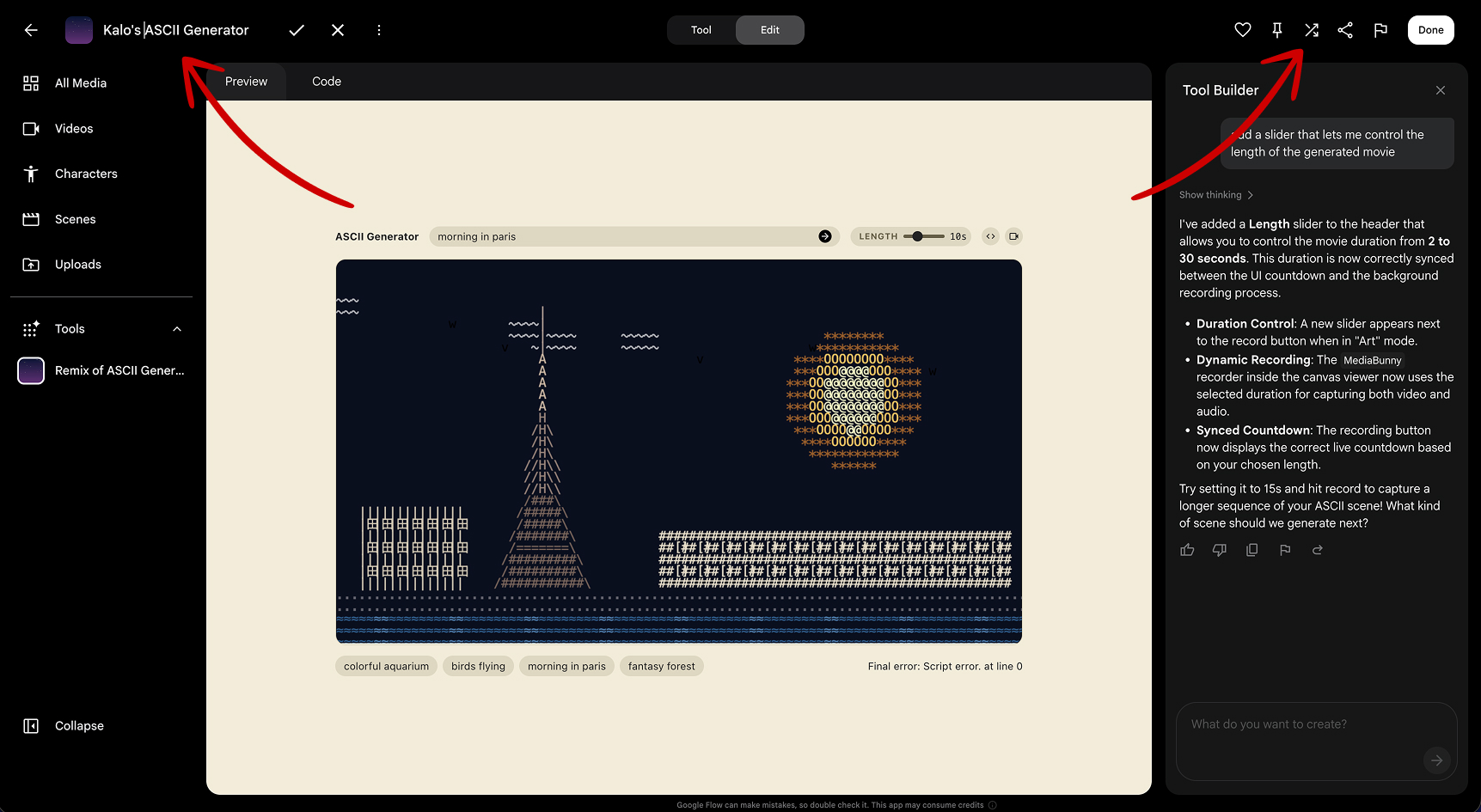
2. Name & Share your Tool
Click the tool's title at the top and label it with
your
name. Click the Share button at the top right to
generate a public link.
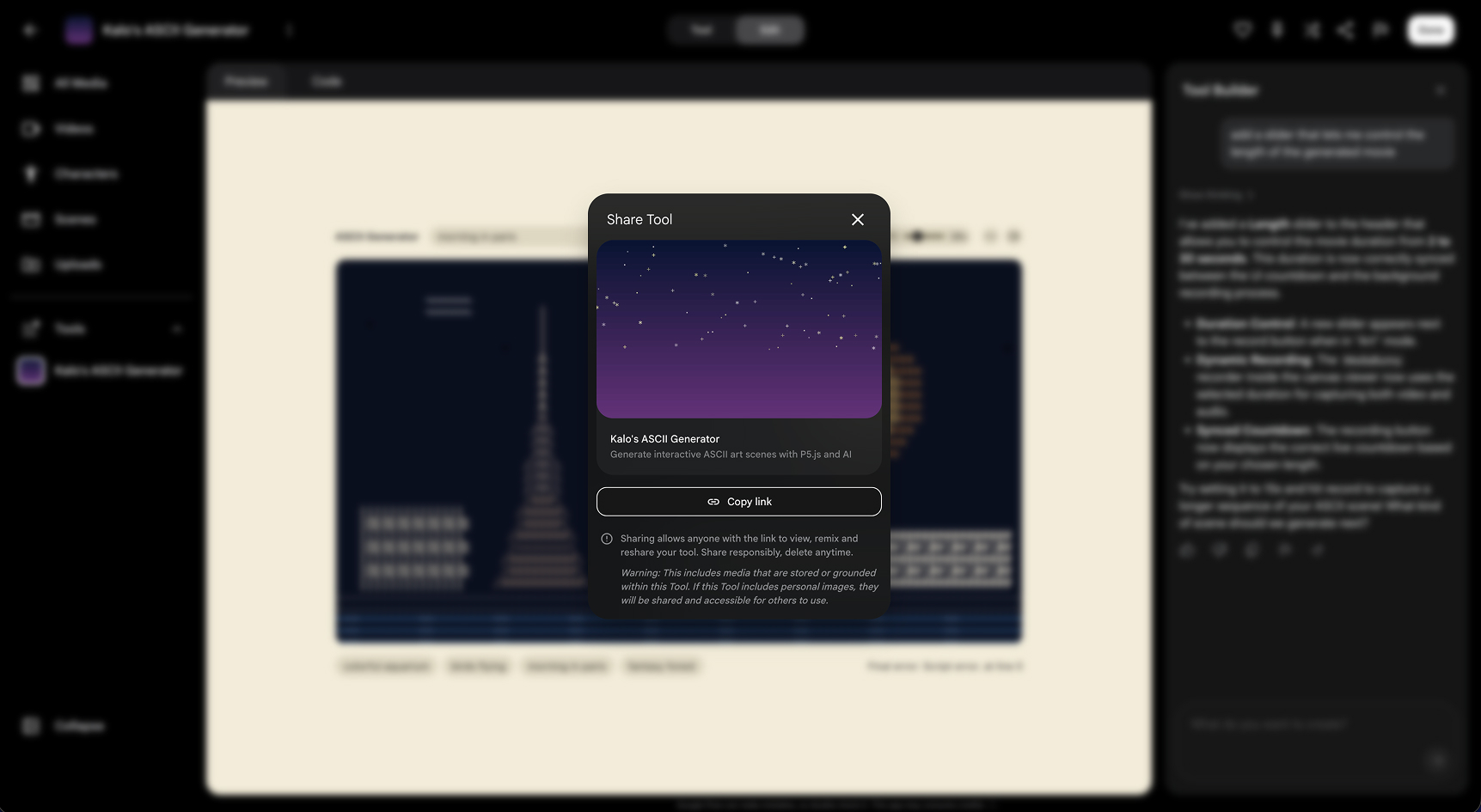
3. Get a Share Link
Copy the URL so you can add it to the shared document
below.
Prompt Ideas
- add a button to turn on the webcam and place it in the background
- add a media uploader to let me load my own images or videos
- use the brightness of the video pixels to determine the size of the text
- blend the raw camera feed with the generative graphics using a new slider
4. Review & Sharing
Paste the link to your tool in the shared document, and we will take turns showing our short films to the group.
Remember: every project you built today is a starting point, not a finished product. Take the code home, keep experimenting, and see where it leads you.
5. Resources
Want to go deeper? Here are some links, tools, and readings to continue your exploration of code-driven filmmaking and generative art.
History
- Rhizome Net Art Anthology — Net art history and database
- Remembering Lilian Schwartz — Tribute to a computer art pioneer
- A Deep Dive into U.F.O.'s by Lillian F. Schwartz — Short thread about how it was made
- Assembly Demoscene Archive — Digital art and demo culture archive
- How Crackers Became Us Demosceners — WiderScreen article on demoscene origins
- A Short History of Flash — Nathalie Lawhead on Flash website movement
Workshops & Learning
- School for Poetic Computation — Community and school for poetic computing
- The Coding Train — Free online creative coding tutorials